MetaTana 2.0
A new design and seven pages in place of fourteen. What each page does, where the old pages went, and how to update.
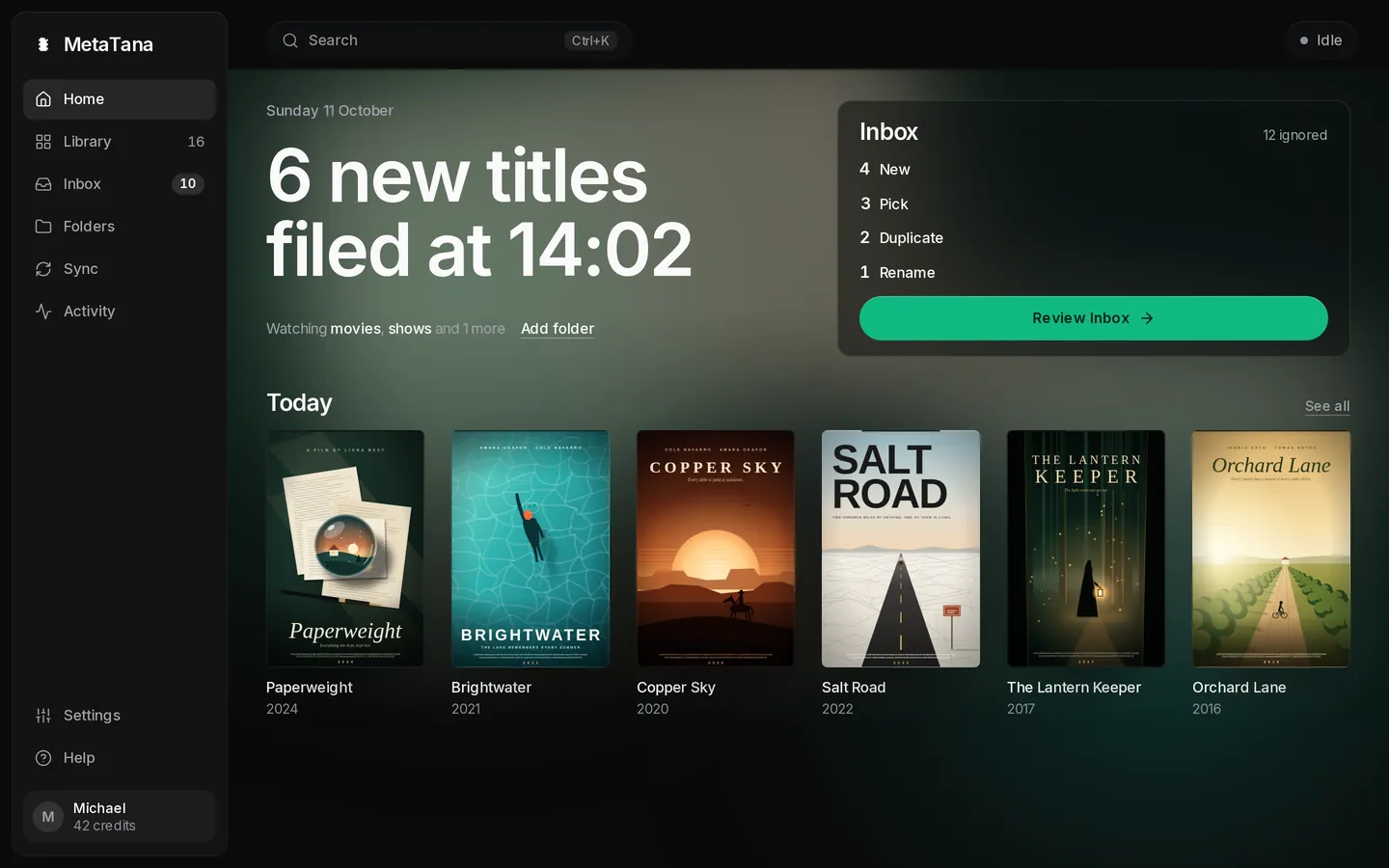
MetaTana 2.0 is out. The app has a new design and seven pages in place of the old fourteen. Matches MetaTana is sure about file themselves, everything else waits in the Inbox with a reason, and Activity can undo file changes.
Seven pages
The sidebar holds Home, Library, Inbox, Folders, Sync and Activity, with Settings and Help at the bottom. Every other place is one ⌘K away (Ctrl+K on Windows and Linux) under Go to.
Home
Home shows what came in, the folders MetaTana watches, and what waits for you. When something needs fixing, such as an offline folder or a server MetaTana can't reach, Home names it with its fix.
Library
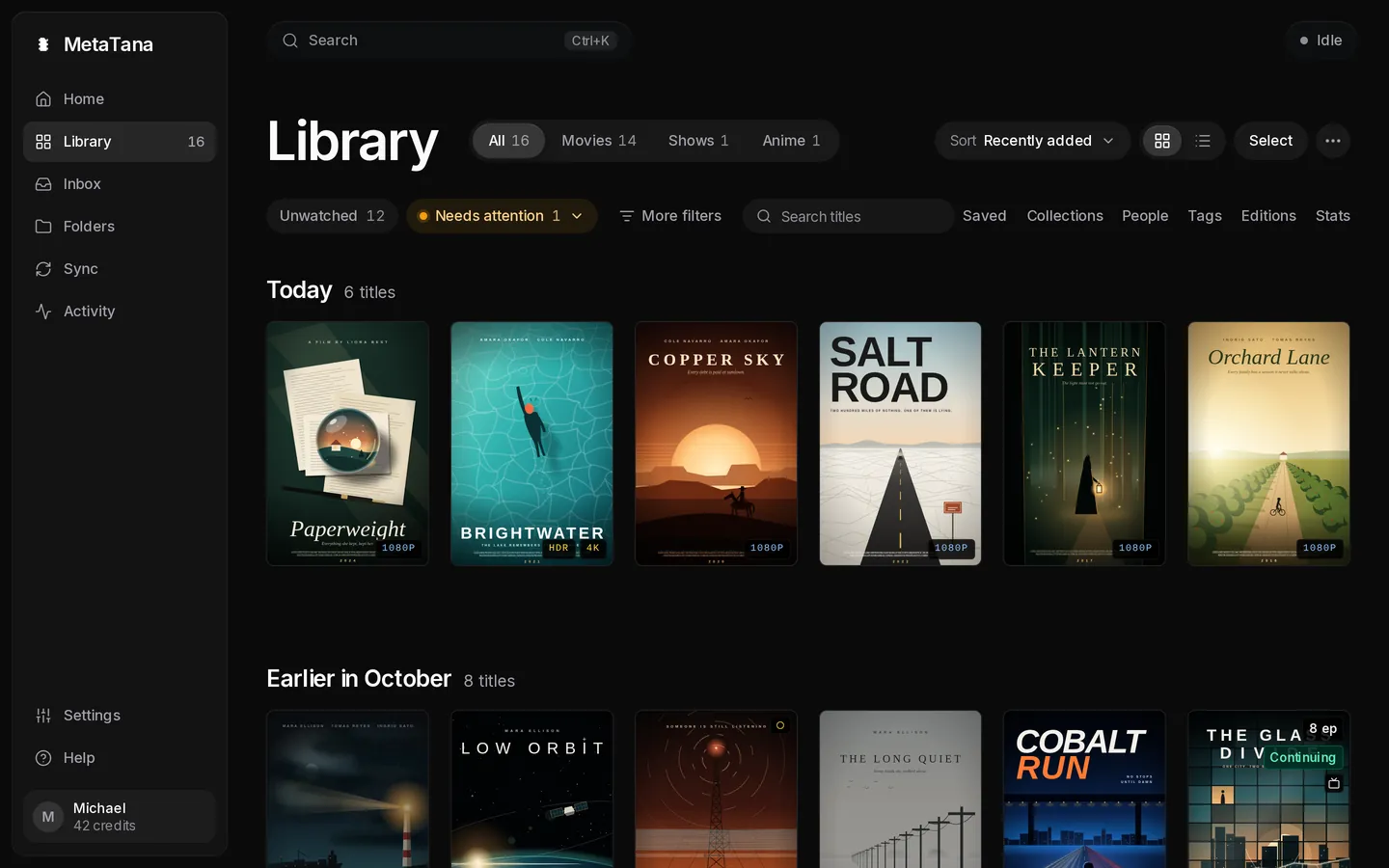
Library holds your titles, shows, people, collections, tags and stats under Browse by. Editions is back there too: every movie with more than one edition, with its copies side by side.
Inbox
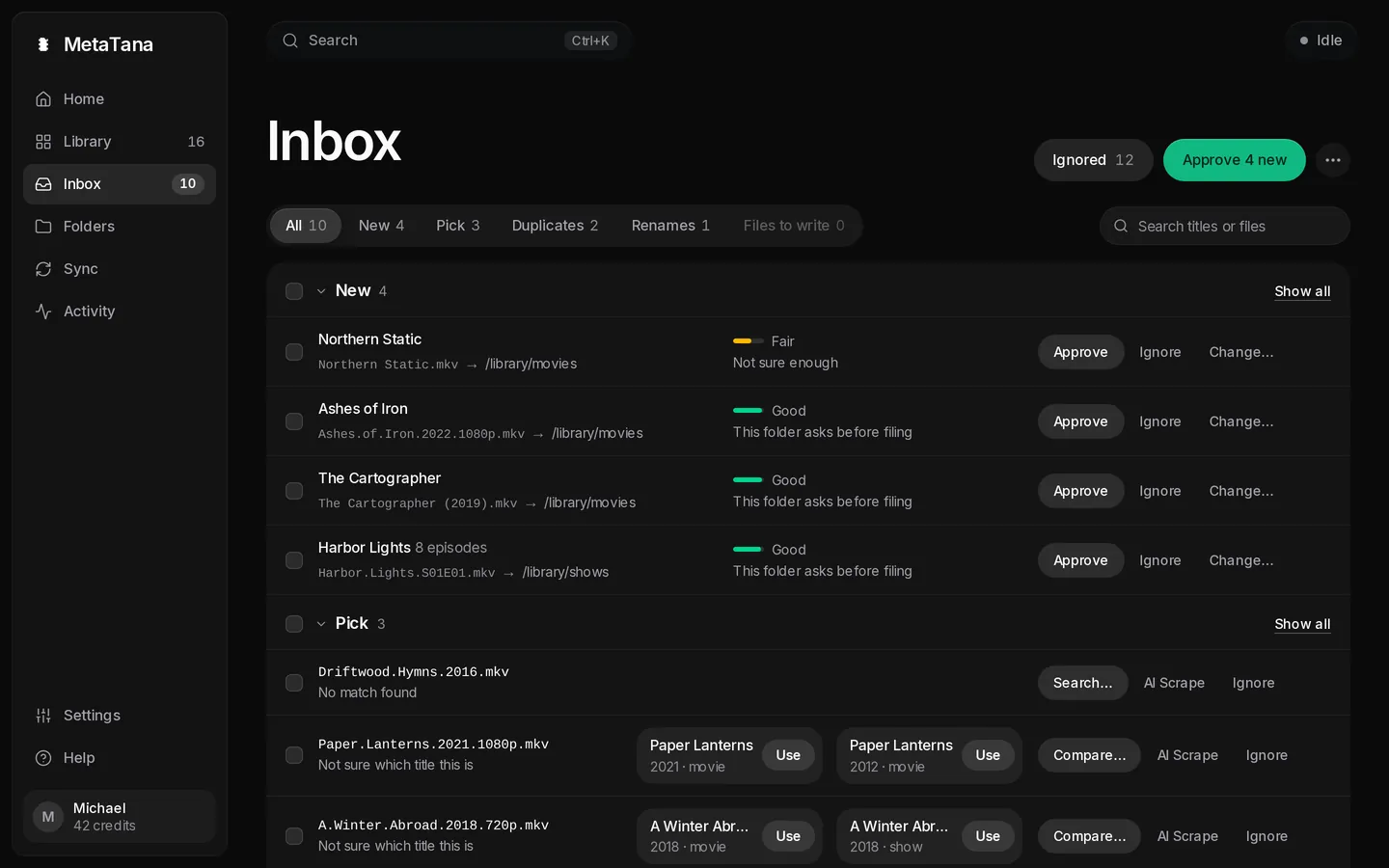
The Inbox is one list of every decision MetaTana leaves to you: new files, matches to pick, duplicate copies, renames and files to write. Each row says why it waits, and Approve comes with Undo.
Folders
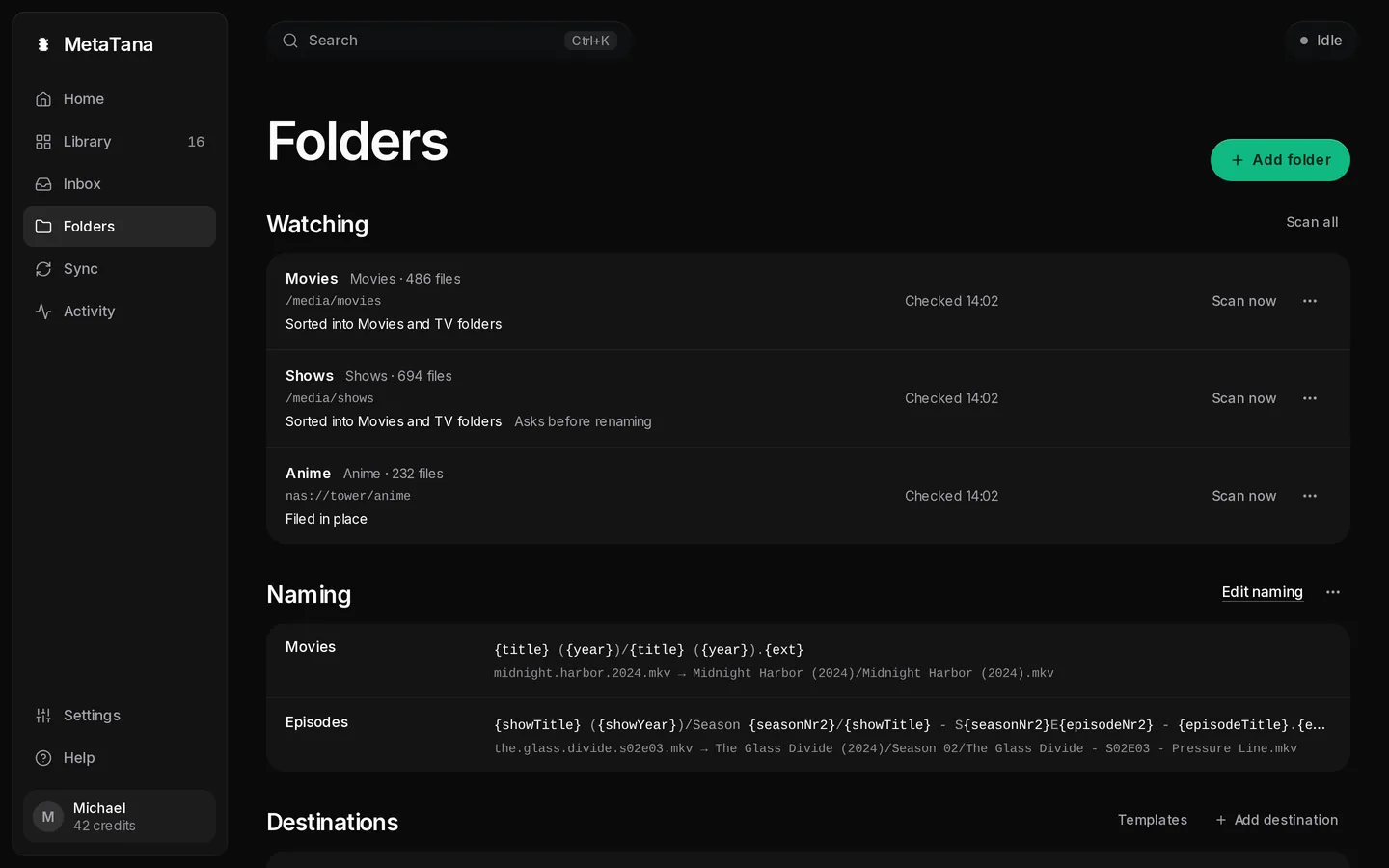
Folders is one page for the folders MetaTana watches, how each one handles new files, naming, and routing rules. Each folder decides for itself whether to tidy files into the library or leave them where they are.
Sync
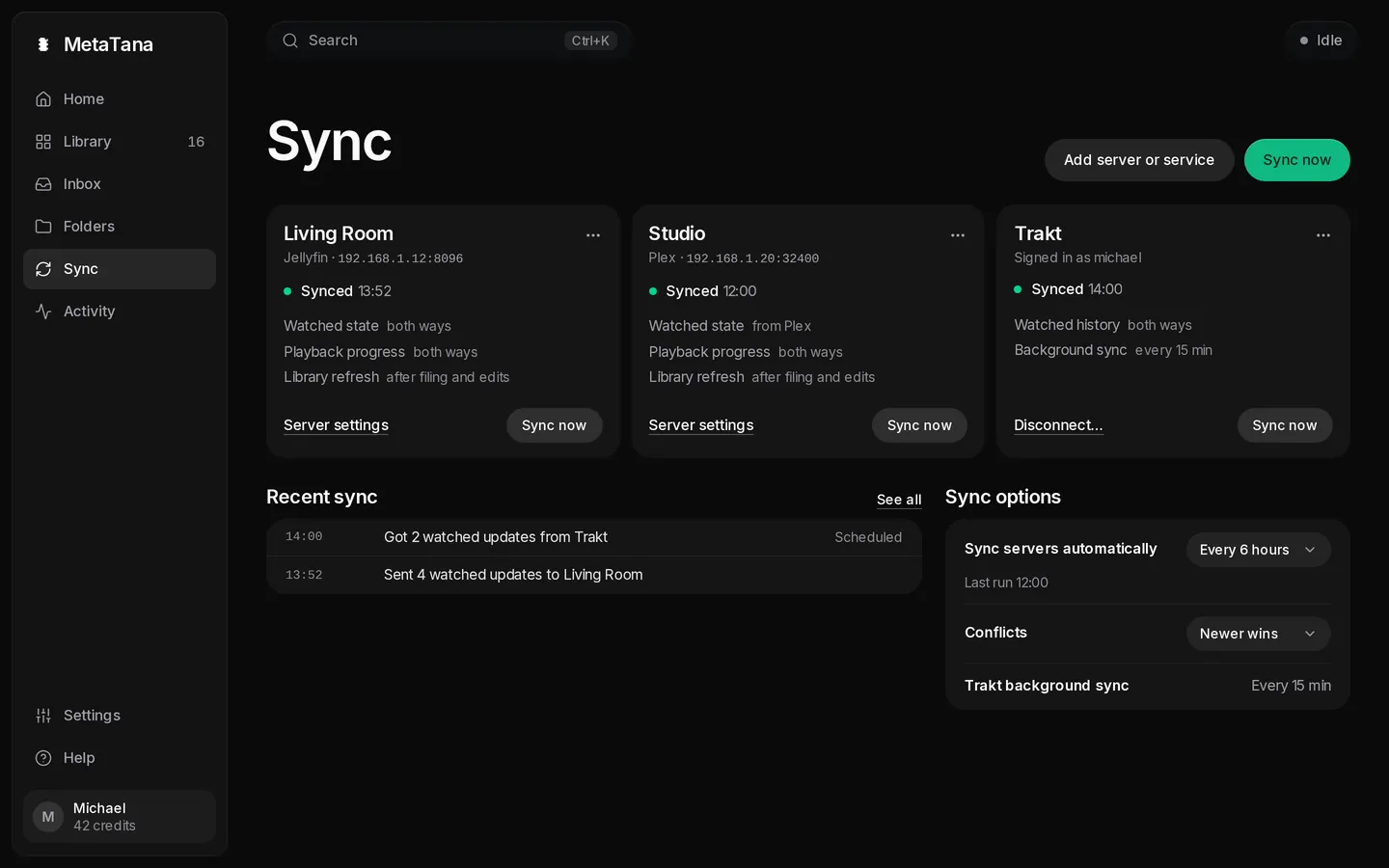
Sync is one page for Plex, Jellyfin, Emby, Kodi and Trakt. Each card shows what syncs, and servers can sync on a schedule you pick.
Activity
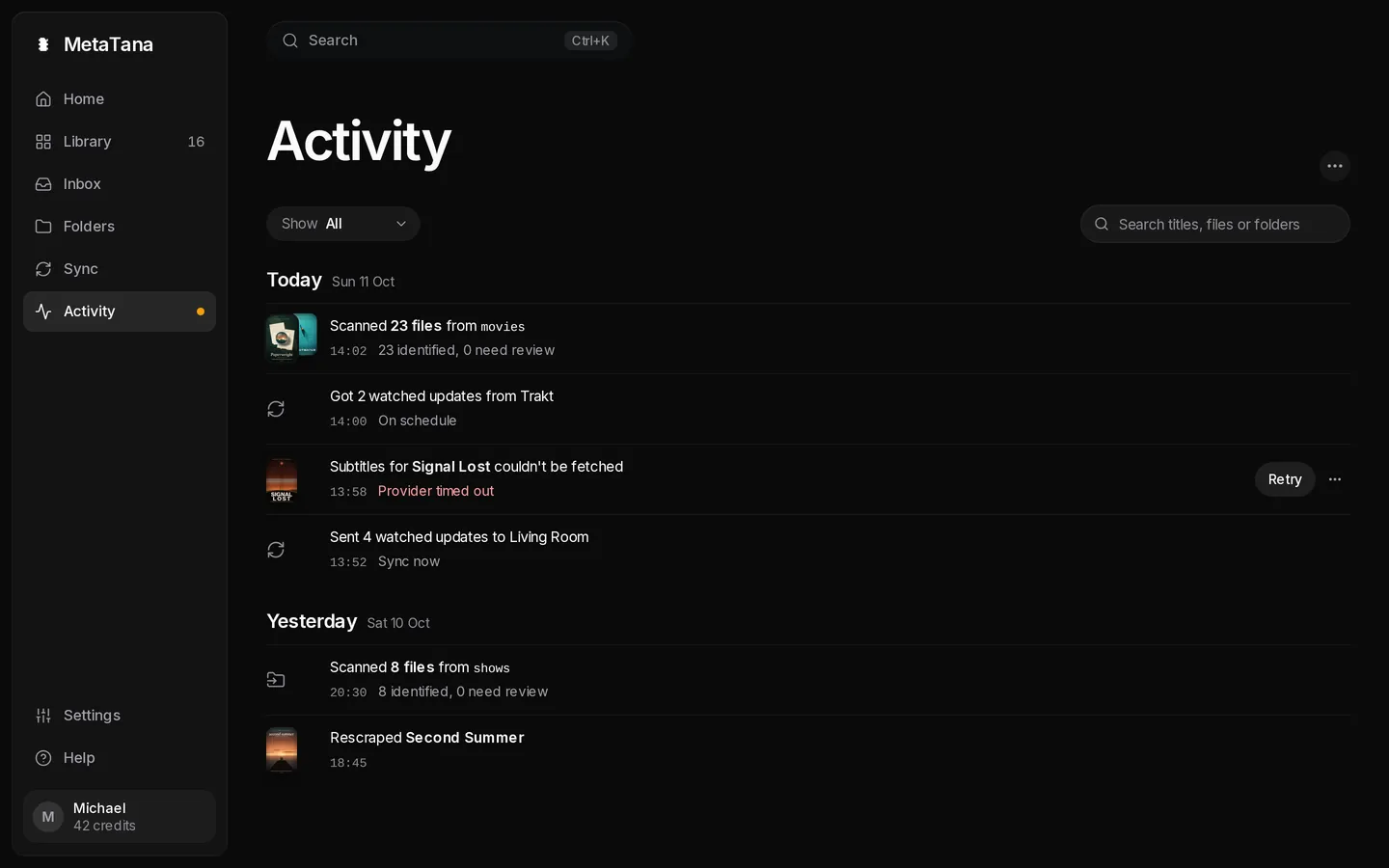
Activity lists what ran and what failed, with Retry on failures. Renames, moves, Inbox approvals, duplicate cleanup, artwork changes and edits can be undone from here, one row or a whole scan at a time.
Settings and Help
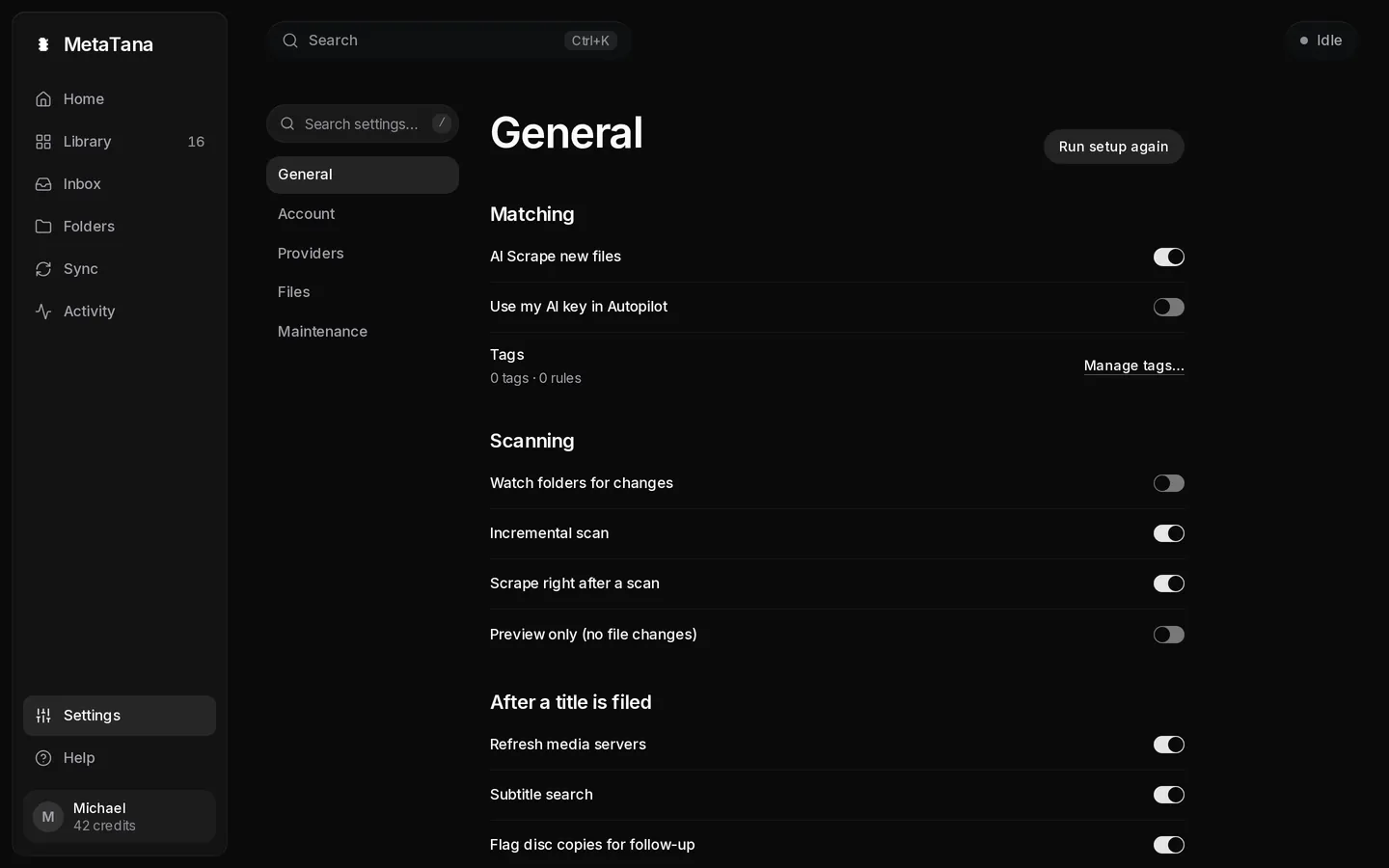
Settings has five sections: General, Account, Providers, Files and Maintenance. Its search also finds a setting by its old name. After a title is filed now shows which arrival recipes will run on the files waiting in the Inbox. Help replaces Support: guides, your support reports and the keyboard shortcuts (press ? on any page).
Where the old pages went
Old links and bookmarks open the new place.
| Before 2.0 | In 2.0 |
|---|---|
| Sources, Destinations, Topology | Folders |
| Media Servers, Trakt | Sync |
| Rename History, Artwork & Subtitles, Tool Runs | Activity |
| Arrivals, Duplicates | Inbox |
| Collections, People, Tags, Editions, Stats | Library › Browse by |
| Metadata Tasks, AI Insights | Library › Needs attention |
| Health | Settings › Maintenance › Library health |
| Backup & Export | Settings › Maintenance › Backups |
| Support | Help |
Free and Pro
Free covers everything that runs on your machine: scanning, matching, editing, NFO and artwork, and sync with Plex, Jellyfin, Emby and Kodi. In 2.0 you can scan first and add your own TMDb key later.
Pro is US$5 a month or US$50 a year and adds:
- Hosted metadata, with no key to set up
- AI Vision, 100 credits a month
- AI Insights, with your own AI key
- Subtitles, Trakt, hooks and webhooks, the API key and CLI, and the MCP server
How to update
Back up first. 2.0 upgrades the library database when it first starts and saves a Before upgrade copy, but older versions cannot open the upgraded library.
- Desktop: MetaTana offers 2.0 in its update dialog. Choose Restart when the download finishes, or check from Settings → General → Updates.
- Docker: back up
/app/data, then pull and recreate the container. - Unraid: back up the appdata folder, then update MetaTana when Unraid offers it.
- TrueNAS: update from Apps when TrueNAS offers 2.0. The TrueNAS catalog can arrive later than the Docker image.
docker compose pull && docker compose up -dIf you open MetaTana through your own domain or a reverse proxy, add the name to METATANA_ALLOWED_HOSTS before you update. Each install now belongs to the first account that signs in to it.
The 2.0 release notes list every change, and Upgrading to 2.0 covers each install type.